Swipe. Merge.
Reach 2048.
The number puzzle you know, made calm and quick. Three modes, a board a day, seven hand-made looks, a stage ladder to 2048 — and it all works with the plane in flight mode.
- No ads
- No account
- Works offline
- No tracking
- English & বাংলা
Arrow keys, or swipe the board.
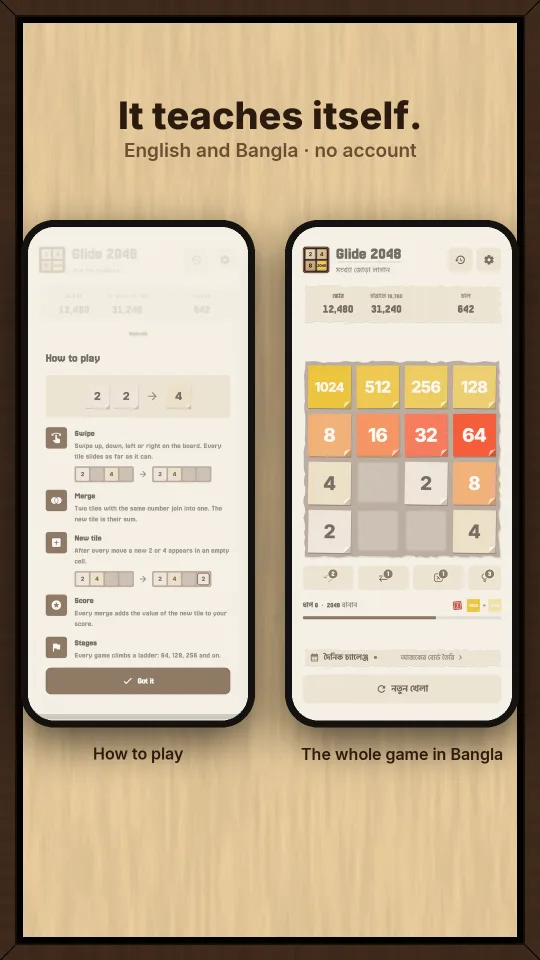
Four rules. That is the whole game.
New here? You will have it in about thirty seconds. The app also ships a short tutorial on first run.
Swipe any way
Up, down, left or right. Every tile on the board slides that way, as far as it can go.
Same numbers join
Two tiles with the same number become one tile, twice as big. 2 and 2 make 4. 4 and 4 make 8.
A new tile appears
After every move one new tile drops in on a free square. The board fills up, so plan ahead.
Reach 2048
Make the 2048 tile to win. Then keep playing — the board goes on to 4096 and past it.
Play it your way.
Pick one in Settings. Each mode keeps its own best score and its own history.
Standard
With power-ups: Hint, Undo, Swap and Delete. Three hints come free with every game; you start with a few of the rest and earn more by making big tiles. Good for a high score run.
Classic
The pure game. No power-ups, no second chance. Just you, the board and the next swipe. This is the one the leaderboard purists want.
Zen
Never game over. When the board is stuck, the smallest tiles clear away and you play on. For the bus, the queue, or a slow evening.
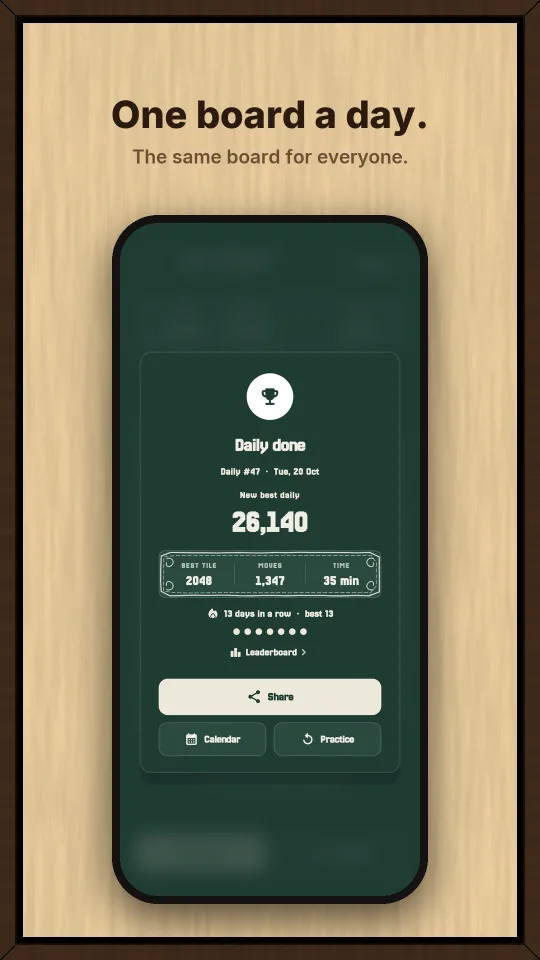
One board a day, the same for everyone.
The board is built from the date, so every player in the world gets the same tiles in the same order. No server, no account — your phone works it out on its own.
- One honest try. Classic rules, no restarts. Close the app mid-game and you come back where you left off.
- A streak worth keeping. Miss a day and it starts again — there is no way to buy it back.
- Your month on a calendar. Every finished day is drawn as its biggest tile. Ten days is bronze, twenty silver, the whole month gold.
- Play a day you missed. Any past board opens for practice — it fills the calendar but never counts for the streak or leaderboard.
- Share without spoiling it. The share gives your score, biggest tile and streak — never the board, which is everyone else's puzzle for the day.
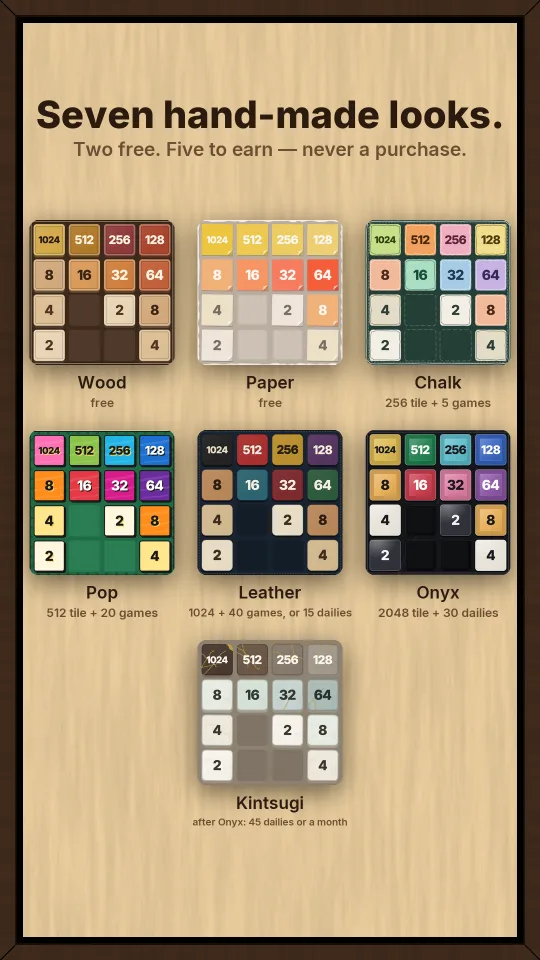
Every look is a real material.
Each one is drawn in its own material, with its own sound — wooden knocks, chalk, rickshaw bells, tabla, fired clay. Two are open from the start. Five you earn by playing, never buy.
What it does, in eight pictures.
One picture for each thing the app can do. Scroll sideways.
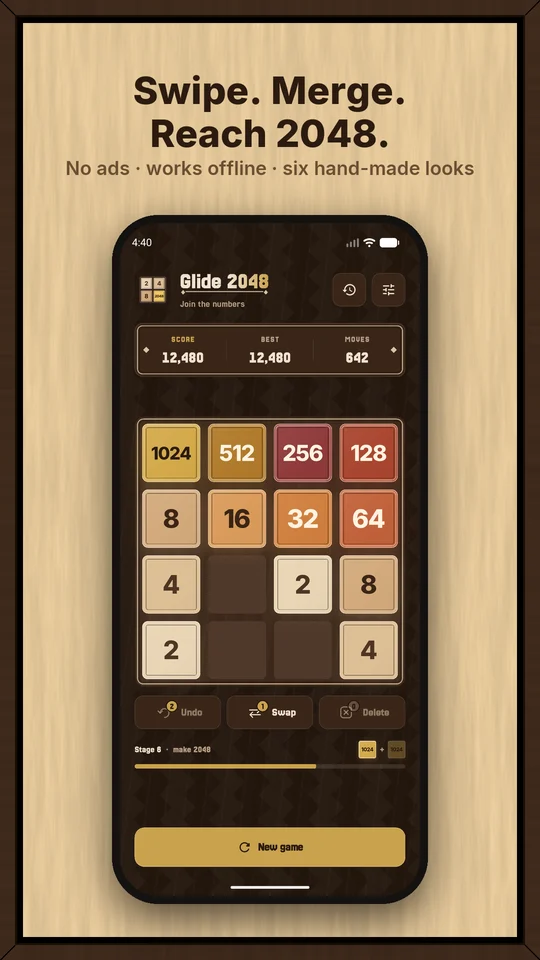
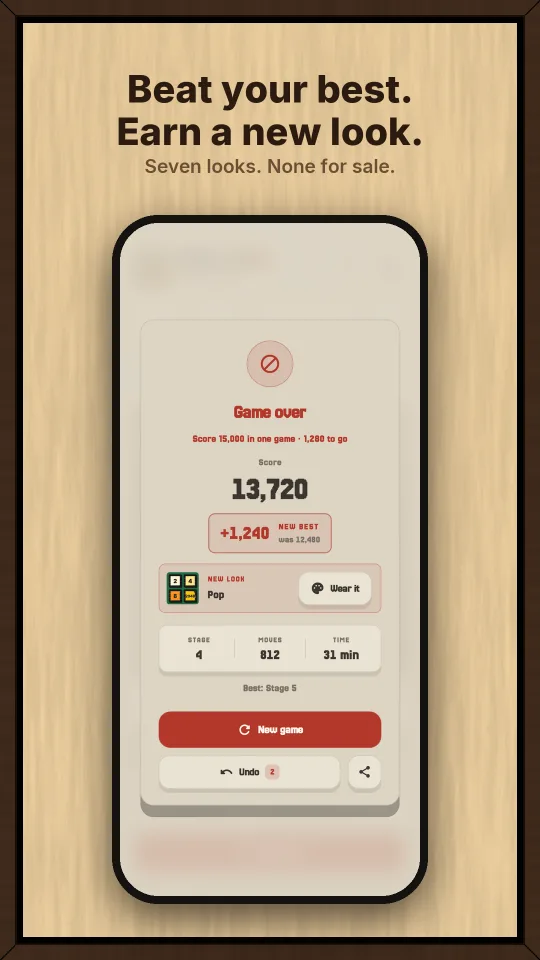
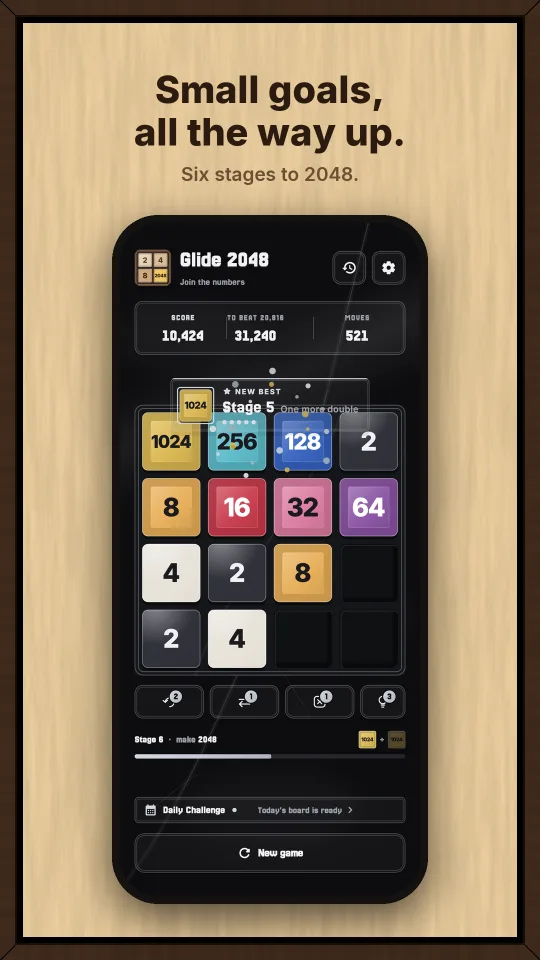
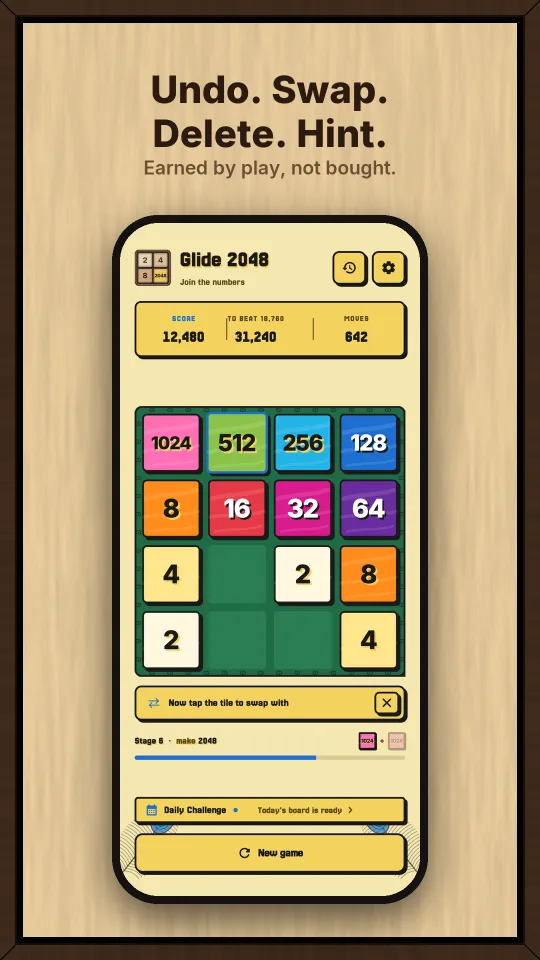
Small game. Everything in it.
- A new end card. The score counts up, a new best says by how much, and a look you win can be worn right there.
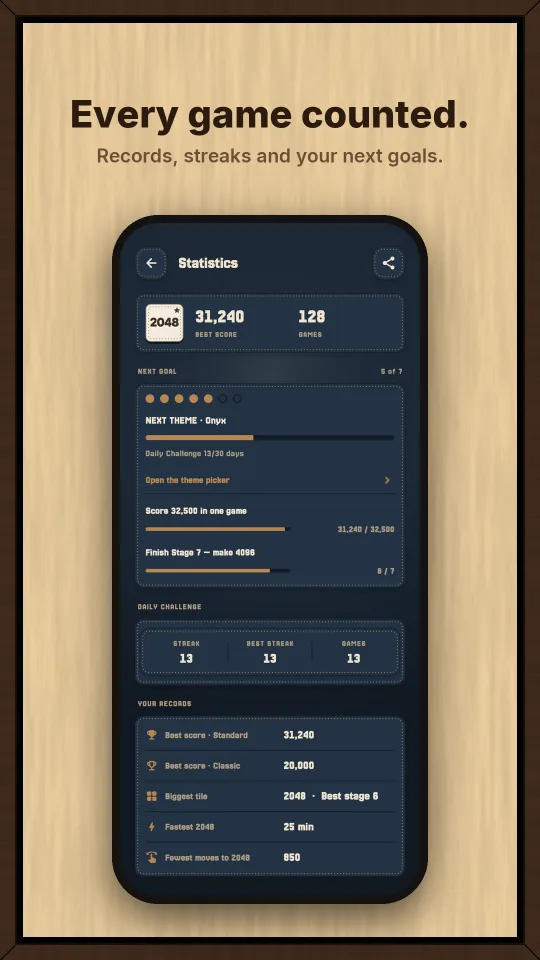
- Race your best. The best box counts down what is left to beat, and Statistics shows your next small goals.
- Stages. Every game climbs a ladder — 64, 128, 256 … 2048 — with the next goal always in view.
- Start here. Jump back in from the board of any stage you already reached.
- Straight in. Long-press the app icon for the Daily Challenge or a new game.
- Power-ups. Hint, Undo, Swap and Delete in Standard. A hint only names the way to swipe; the rest you earn by making big tiles.
- Sound per look. Wooden knocks, chalk, paper, rickshaw bells, tabla, glass. Off in one tap.
- History and statistics. Every game kept — records, badges, lifetime totals. Signed in to Play Games, it backs up to your own Google account.
- Share a picture. The app draws your board, your score and your best tile on a card.
- Daily Challenge. One board a day, the same for everyone. A streak, a month calendar, and a share that never spoils the board.
- Play Games. Optional sign-in for five leaderboards, twelve achievements and cloud backup.
- Two languages. Full English and full বাংলা, switched in Settings.
- Haptics. Vibration timed to the tiles. Off in one tap.
- Offline. The whole game runs with no network at all.
Google Play Games, if you want it.
Sign in for leaderboards, achievements and cloud backup. Decline it and the game plays exactly the same — nothing is locked behind an account.
Five leaderboards
- Best score · Standard
- Best score · Classic
- Fastest 2048
- Fewest moves to 2048
- Daily Challenge · today
Twelve achievements
From your first 128 tile to a pure Classic win. Your weekly rank shows on the result card at the end of a game.
Short answers.
Is it really free? Any ads?
Free, and there are no ads. There is nothing to buy inside the app either — the five locked looks are earned by playing, not paid for.
Do I need an account?
No. The game has no account of its own. Google Play Games sign-in is optional and only adds leaderboards, achievements and cloud backup.
Does it work without internet?
Yes, the whole game. The only thing that ever goes over the network is your Play Games data — scores and the cloud backup — and only if you signed in.
What do you collect about me?
Nothing. No analytics, no crash SDK, no advertising ID. Your scores, history and settings stay on your phone. If you sign in to Play Games, your scores go to Google and your history is backed up to your own Google account — that is all. The privacy policy says it in full.
How do I unlock Chalk, Pop, Leather, Onyx and Kintsugi?
By playing — there are three ways to pay: the biggest tile you have ever made, the games you have finished, and the days you have played the Daily Challenge.
- Chalk — a 256 tile and 5 games.
- Pop — a 512 tile and 20 games.
- Leather — a 1024 tile and 40 games, or 15 days of the Daily instead. Either way in works.
- Onyx — a 2048 tile and 30 days of the Daily.
- Kintsugi — Onyx open first, then 45 days of the Daily in all. A gold month on the Daily calendar opens it too.
Zen and the Daily board do not count towards the biggest tile — Zen never ends, and the Daily plays on its own board. Once a look is open, it stays open.
Which Android versions?
Android 7.0 (API 24) and newer, phones and tablets. It runs fine on older, slower phones.
I found a bug, or I have an idea.
Please write to yousuf.stu@gmail.com. Tell me your phone model and what happened — it helps a lot.
Glide 2048: Merge Puzzle
Android 7.0 and up · free · no ads · no account. Out now on Google Play.