Drop fruit.
Merge it
before it rots.
A calm fruit game with real physics. Two of the same fruit join into a bigger one — but fruit ripens, then rots, and the seasons change the basket. It plays offline, with no ads and no purchases, and you need no account.
In testing now. The Google Play link lands here the day it goes live.
- No ads
- No purchases
- No account needed
- Works offline
- English & বাংলা
A real game. Like every fruit, animal and sound in it, the picture is drawn in code.
Drop, merge, grow the biggest fruit.
Pico the macaw teaches the first game, and Settings keeps a short how-to-play page.
Drag, then let go
Move the fruit along the top of the basket and let go. It falls with real weight, rolls and settles. You always see the next fruit.
Two of a kind merge
Two of the same fruit touch and join into the next, bigger one. Quick merges chain into a combo, and each one scores a little more.
Grow the biggest fruit
There are eleven sizes. Make the eleventh and the five smallest leave to give you room; two of the biggest merge away for 500 points.
Keep under the line
Fruit above the top line starts a three-second warning. The first time it runs out, a friend takes small fruits away; the next time, the game is over.
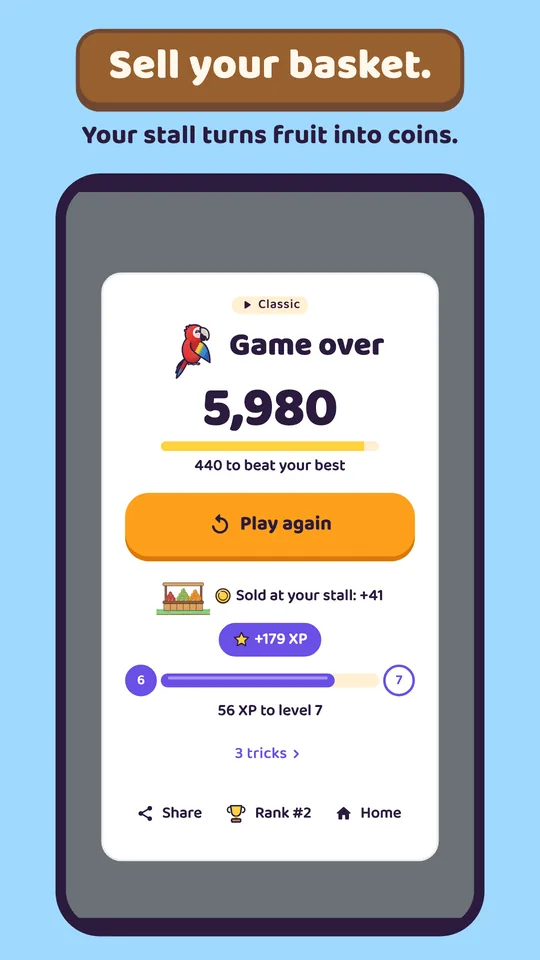
When a game ends, the fruit left in the basket is sold at your own fruit stall for coins. More of the game opens as your level goes up: Hold, seasons, rotten fruit, specials and the shop join one at a time.
Every fruit has a life.
Each fruit you drop makes every fruit in the basket a little older. You see it on the fruit itself: no numbers, no timers.
-
Raw
A new fruit is a little pale. Its colour fills in drop by drop.
-
Ripe
Full colour and a thin gold rim. A merge with one ripe fruit scores ×1.5, with two ×2, and ripe fruit sells for double.
-
Brown spots
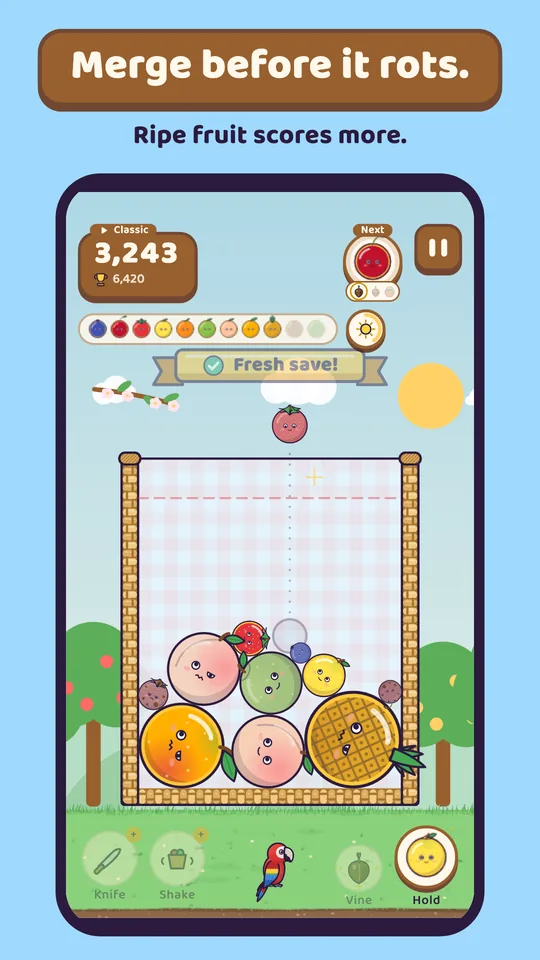
Rot is coming. The fruit is still ripe and still merges. Merge it now for a Fresh save!
-
Rotten
It does not merge any more. It shrinks with every drop, then stays, and sells for nothing.
-
Ash
Push two rotten fruits together and both turn to ash: +5. A harvest basket or the knife clears rotten fruit too.
Only the five smallest sizes can rot; a big fruit never does. Ripe fruit is there from the first game. Rot starts at level 7 in Classic, is always on in the Daily challenge, and never happens in Zen.
Classic, Daily and Zen.
One basket, three ways to play it.
Classic
The main game, open from the start. Play for your best score; your top 10 games go on the Rank screen.
Daily challenge
Opens at level 9. Everyone gets the same fruits in the same order that day. One try counts; after it, practise as much as you like.
Zen
Opens at level 3. No game over, no rot, and the friend comes every time. After 20 drops, tap End to sell your basket. Half the coins, and XP from the score alone.
| Rule | Classic | Daily | Zen |
|---|---|---|---|
| Opens at | The start | Level 9 | Level 3 |
| Fruit order | Random | The day’s order, the same for everyone | Random |
| Ripe fruit | Yes | Yes | Yes |
| Rot and ash | From level 7 | Always | Never |
| Seasons | From level 3 | Always | As in Classic |
| Hold | From level 2 | Always | As in Classic |
| Vine, harvest basket | From level 6, level 8 | Always | As in Classic |
| Knife, shake | From level 4, level 5 | Off | As in Classic |
| The friend’s rescue | Once a game | Once a game | Every time |
| Game over | Yes | Yes | No — tap End to sell, after 20 drops |
| XP and coins | Full | Full | Half; XP from the score |
| Tries | Any number | One that counts, then practice | Any number |
| The theme’s fruit feel | On | Off | On |
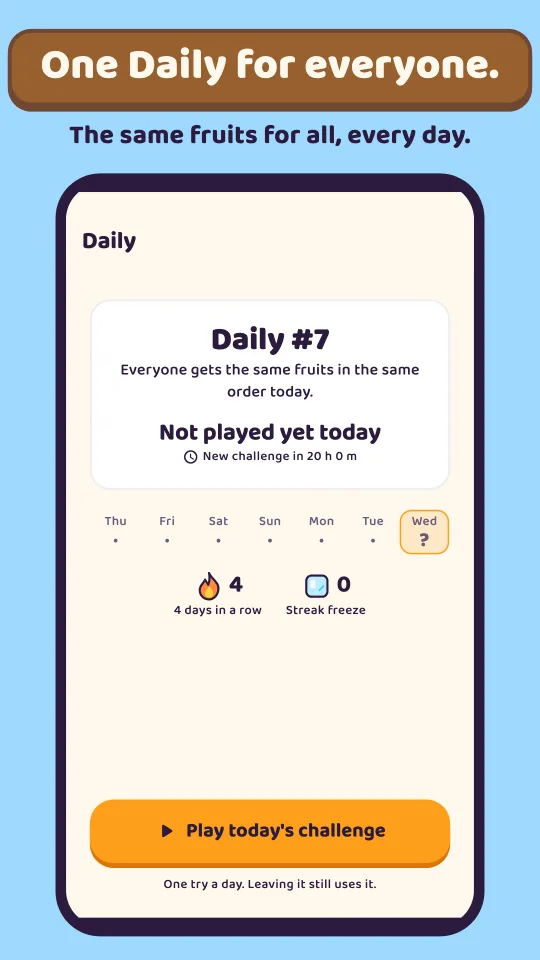
One basket a day, the same for everyone.
The day’s fruits come in one order for everyone. Every rule is on; the knife, the shake and each theme’s fruit feel are off.
- One try counts. Leaving it half way still uses it. After that, practise the day as often as you like; practice is never counted.
- A new challenge every day. It starts at the same moment everywhere: 1 pm in Bangladesh. The Daily page shows how long until the next one.
- Share your day. From the Daily page it goes as a few lines of text: the day’s number, your score, your best fruit, how far up the fruit ladder you got, the seasons you saw and whether a friend saved you.
- Too late does not count. A counted game that ends after its day is over is not saved as that day’s score.
Small rules that add up.
Nothing here can be bought with money, and all of it is kept on your phone — and in your cloud save too, if you sign in to Google Play Games.
In the basket
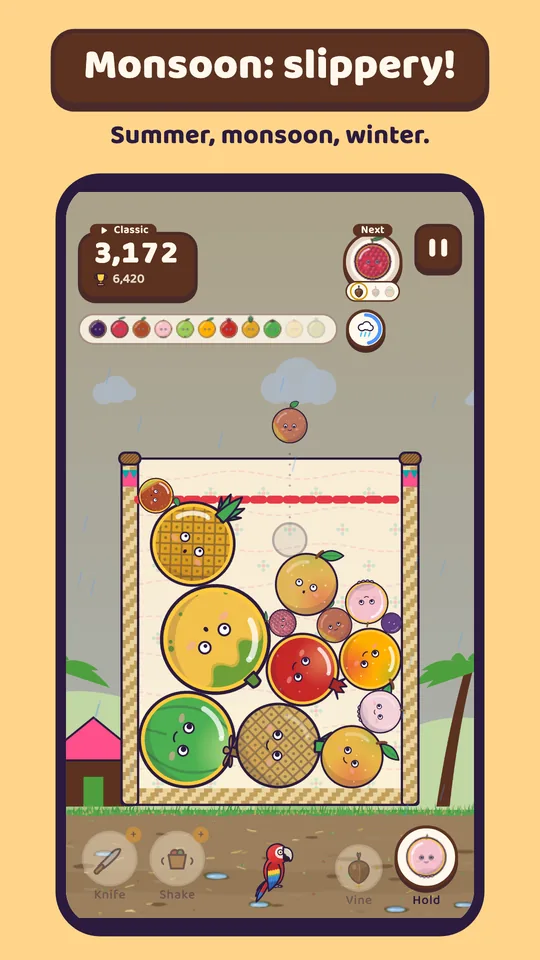
- Seasons. Every 30 drops the season turns. Summer ripens fruit fast, monsoon makes it slippery, winter slows it all down. Opens at level 3.
- A friend to the rescue. When the warning runs out, the theme’s animal carries small fruits away — once a game in Classic and Daily, more often in Zen.
- Four tricks. Double!, Ripe chain!, Last moment! and Fresh save! — four special merges, each with its own bonus points.
- Vine and harvest basket. A fruit that merges as it lands fills the ring; a full ring brings a vine seed, every third time a harvest basket, and each waits on its button until you tap it. The vine pulls nearby pairs together; the basket sells one whole size — on a rotten fruit, all rot turns to ash.
- Hold. Put the fruit in your hand aside and swap it back later, once per drop. Opens at level 2.
- Knife and shake. The knife takes one fruit out; the shake settles the basket. From the shop or as a level’s gift, up to two of each per game. The knife opens at level 4, the shake at level 5.
- Shiny fruit. Now and then a fruit sparkles. Merging it gives a coin and a stamp; left in the basket, it sells for five times more.
Around the game
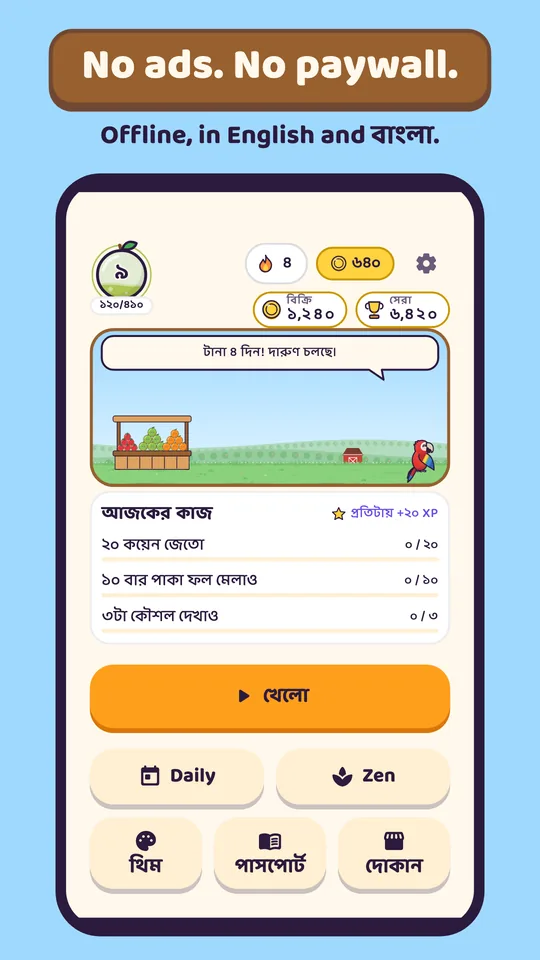
- Your fruit stall. Fruit left at the end is sold at your own stall — bigger for more, ripe for double, rotten for nothing. Home shows the total beside your best score.
- Coins. Earned at the stall, from tasks, stamps, Shiny fruit and the daily gift. Spent in the shop. Never bought with money.
- The shop. Opens at level 4: power-ups, baskets, outfits, stall decorations and friends. Everything but the power-ups is just for looks.
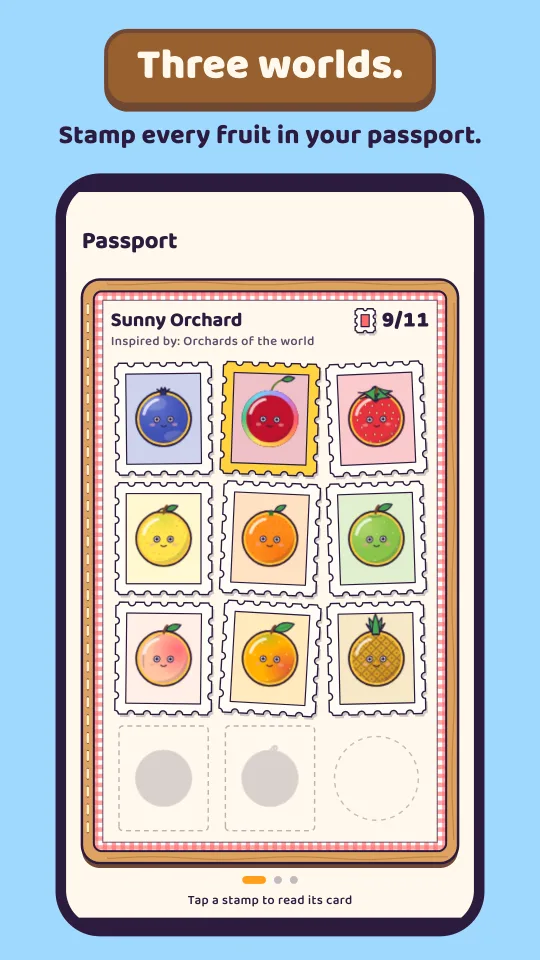
- The fruit passport. A stamp album, one page per theme. A first-made fruit earns its stamp and coins, and a full page can be shared as a picture.
- Today’s tasks. Three small tasks a day, for coins and XP. Opens at level 2.
- Day streak and a daily gift. Finish a game any day, in any mode, and the day counts. A streak freeze covers one missed day, and a small gift waits daily.
- Levels. Every finished game gives XP, and every level gives something. New things open one at a time: Hold and tasks at 2, seasons and Zen at 3, the shop and the knife at 4, the shake at 5, the vine at 6, rot at 7, the harvest basket at 8, the Daily at 9, the second theme at 10 and the third at 20. From level 11 a level with nothing else brings a knife or a shake, and fourteen titles lead up to level 100.
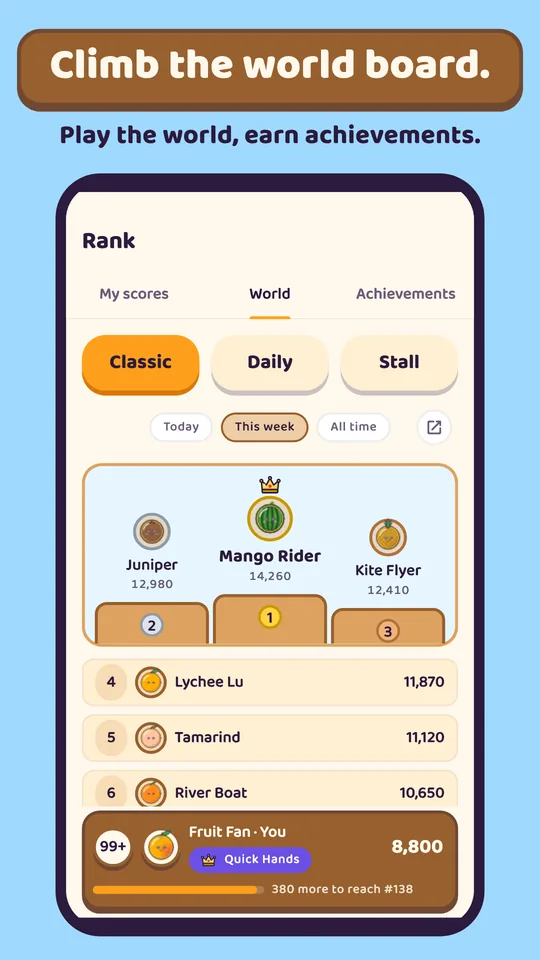
- Rank. Your own top 10 Classic games — first place wears a crown — and an achievements tab: Start, Regular, the Long road, theme sets and two secrets. A World tab shows the world leaderboards.
- Google Play Games, if you like. World leaderboards for Classic, the Daily and your stall’s sales, 33 achievements, and a cloud save that brings your progress to a new phone. Signing in is optional; the game plays the same without it.
Friends and feel
- Pico, a scarlet macaw. Your friend from the start: teaches the first game, cheers your streak and your new best, gives a tip when you tap — and never covers the basket.
- Nummy the doll. A soft doll friend from the shop. Choose her and she takes Pico’s place.
- Easier play. Reduce motion, a colour-blind mode with size numbers on every fruit, a left-handed mode, and separate switches for sound, music and vibration.
- English and Bangla. The whole game in both, following your phone’s language. Bangla always shows Bangla digits.
- Made in code. Every fruit, animal, basket, sound and piece of music is made in code for Merrifruit. The game’s text is set in Baloo Da 2 (SIL Open Font License).
- Picks up where you left it. Saved after every drop; Home shows Continue.
Three worlds, eleven fruits each.
A theme changes the scene, the basket, the fruits and the friend who saves you. Everyone starts in Sunny Orchard, and no theme plays easier.
-
Sunny Orchard
A summer picnic on a sunny farm: fruit trees, a red barn, your wooden stall — and in a game, apple blossom over a straw basket.
When the basket overflows, a butterfly comes to help.
Yours from the start.
- Blueberry
- Cherry
- Strawberry
- Lemon
- Orange
- Apple
- Peach
- Mango
- Pineapple
- Coconut
- Watermelon
-
Green Village
A village in Bangladesh: a bamboo tea-stall, paddy fields, palm trees, flying egrets. In a game, a paper kite over a cane basket with rickshaw-art and nakshi-kantha stitching. Here the monsoon is a Kalbaishakhi storm.
When the basket overflows, a squirrel comes to help.
Opens at level 10.
- Java plum
- Lychee
- Jujube
- Wax apple
- Guava
- Mango
- Pomegranate
- Pineapple
- Green coconut
- Papaya
- Jackfruit
-
Floating Market
A floating market in Thailand. Boats on the canal, houses on stilts and garlands of marigold; the fruits come from the market’s own stalls.
When the basket overflows, an elephant comes to help.
Opens at level 20.
- Longan
- Thai lime
- Rambutan
- Longkong
- Mangosteen
- Salak
- Dragon fruit
- Mango
- Young coconut
- Pomelo
- Durian
What it looks like.
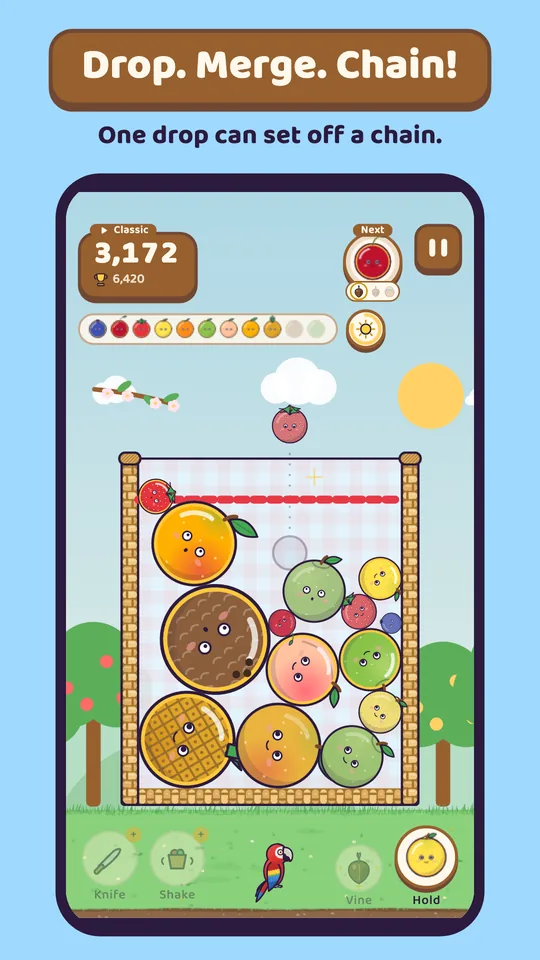
The cards Google Play will show, in its order. The screens inside them are the real game — nothing here is a mock-up.
Nothing about you comes to us.
The app has no internet permission — check it in Settings → Apps → Merrifruit → Permissions. If you sign in to Google Play Games, Google Play services sends your scores, achievements and cloud save to Google, never to us.
- No account needed. The game has no account of its own. Google Play Games sign-in is optional, for the leaderboards, achievements and the cloud save.
- No ads, no purchases, no advertising ID. Coins are earned by playing, never sold.
- No analytics, no crash reporting. We receive nothing about you, ever, because we run no servers.
- Your progress lives on your phone. Your progress, coins, items, passport, scores and settings — and, if you sign in, a cloud save in your own Google Drive app data. Settings → About and privacy → Delete progress clears your progress and empties the cloud save; uninstalling clears the phone.
The ones people ask.
Is it free?
Yes. There are no ads, and nothing in it can be bought with money. Coins are earned by playing and spent in the game’s own shop.
Where do I get it?
It is coming to Google Play, for Android phones. It is not in the store yet, so there is no link here yet.
Does it work without internet?
Yes, all of it. The app has no internet permission at all. Only Google Play Games, if you sign in, goes online — through Google Play services — for the leaderboards, achievements and the cloud save.
Do I need an account?
No. The game has no account of its own. You can sign in to Google Play Games for the world leaderboards, 33 achievements and a cloud save, but you never have to. Your progress is always on your phone.
Do I lose my game if I close the app?
No. The game is saved after every drop and when you leave the app. Home shows Continue, and one tap goes on.
Can I make it easier to see or to hold?
Yes. Colour-blind mode shows the size number on every fruit, Reduce motion turns off shaking and flashes, and left-handed mode moves Hold and the tools.
Is there a Bangla version?
Yes — the whole game, not just a menu. It follows your phone’s language, and you can also pick English or বাংলা in Settings.
What happens to the fruit left in the basket?
Sold at your own fruit stall when the game ends — ripe for double, Shiny for five times, rotten for nothing.